Feature Guide · 9 min read · 2026-10-06
PUBG Players ESP: Boxes, Health, Bots and Skeletons
A practical PUBG ESP guide to player and bot labels, 2D and corner boxes, filled styles, health text and bars, and skeleton overlays.
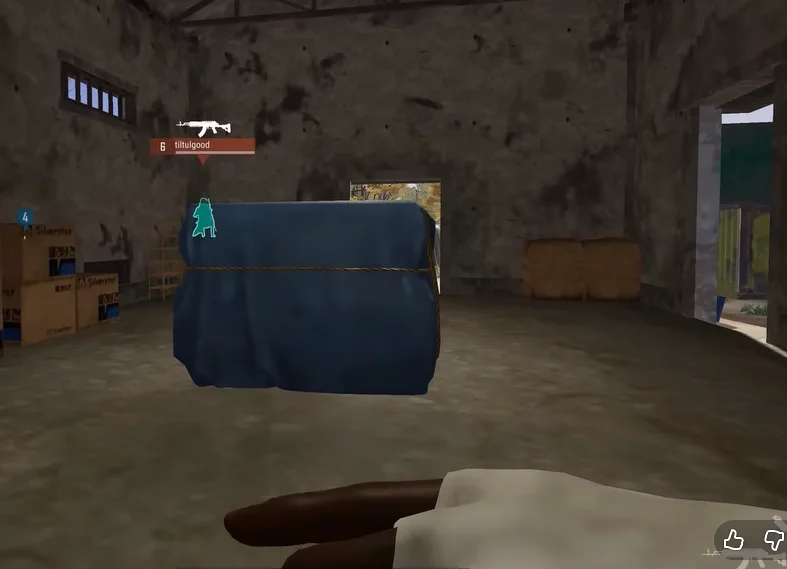
What PUBG ESP shows during a match
PUBG ESP adds selected game information to the 3D view. Player positions, bot labels, boxes, health, skeleton lines, and distance can appear over the scene without opening the map.
The useful part is control. A clean PUBG ESP setup separates players from bots instead of drawing every available label at once.
The current visual package on pubg hacks includes players ESP, Show Bots, multiple box styles, health displays, and skeletons. Loot has its own thread.
Players ESP and bot labels
Players ESP identifies character positions in the world view. A basic configuration uses one box, a distance value, and one health display so each contact can be read quickly.
Show Bots marks AI contacts separately. Different colors for players and bots stop an early-match bot group from looking like a full player squad.
Keep player range tied to the area you can act on. Very long ranges can add labels behind several compounds and make close movement harder to see.
Choosing a box style
A box gives a quick outline around the target. The best style depends on how much of the character and background you want to keep visible.
2D boxes
A 2D box draws a complete rectangle around the target on the screen. It is easy to recognize and makes distance changes clear as the rectangle grows or shrinks.
Full rectangles use more screen space than corners. Thin lines and moderate opacity help when several contacts overlap.
Corner boxes
Corner boxes draw only the outer corners of the rectangle. They preserve more of the player model and background while keeping a clear target boundary.
This style works well in busy towns because walls, windows, and door frames remain easier to see.
Filled boxes
Filled boxes add a shaded area behind the outline. The fill can make contacts stand out against grass or dark interiors, but high opacity can hide movement and cover.
Use a low fill value and combine it with a border. A strong solid fill is harder to read when targets cross each other.
Health text, health bars, and skeleton ESP
Health text gives an exact value, while a health bar gives a faster visual estimate. Text is useful for precise decisions; a bar is easier to scan when several targets are visible.
Skeleton ESP connects key body points to show stance and orientation. It can help distinguish a standing player from someone crouched or prone behind cover.
Skeleton lines create more visual detail than a simple box. Limit them to shorter ranges and use one health format at a time when the display becomes crowded.
PUBG ESP compared with radar and loot ESP
ESP draws information over the game world. Radar puts nearby contacts on a compact 2D panel, which can show wider awareness without placing every contact in the main view.
Loot ESP is a separate overlay for ground items and containers. Keep player boxes on their own range so loot labels do not cover health bars.
Read the PUBG radar guide and the loot ESP guide for those layers. BattlEye status is in the anti-cheat guide.
A clean ESP setup order
Turn on player boxes first, then add distance and one health format. Set a separate bot color before adding skeletons or filled backgrounds.
Next, enable only the loot categories needed for the current route. Finish with range, color, line thickness, and opacity adjustments at the resolution used for matches.
Check the live compatibility status after PUBG, BattlEye, Windows, or driver updates. A saved visual profile can remain readable while the underlying software still needs a matching update.
Ready for pubg hacks?
Check live BattlEye status, then buy players ESP, loot ESP, and world overlays for PUBG on pubghacks.org. Need help? Read support or player reviews. Own the game via the official site.
Community replies
Discussion prompts based on common player questions.
CornersOnly
Squad player · Oct 6, 2026
Corner boxes are much easier to read in apartments. Full boxes kept covering window frames when two players were close together.
BotColorBlue
Oct 6, 2026
A separate bot color was the biggest improvement for early circles. I stopped treating every AI contact like another squad.
BarNotText
Oct 7, 2026
Do health bars use the same color thresholds for players and bots, or can those be configured separately?
ShortRange
Oct 8, 2026
Cutting player range to the next compound cleaned the screen more than turning skeletons off.
Frequently asked questions
What does PUBG ESP show?
PUBG ESP can show players, bots, boxes, health, skeletons, and distance. The exact display depends on which menu options are enabled.
Which PUBG ESP box style is easiest to read?
A full 2D box is the clearest outline, while corner boxes preserve more of the scene. Filled boxes can improve contrast when used with low opacity.
Is health text better than a health bar?
Health text gives a precise value, while a bar is faster to scan. Using one format at a time usually keeps the overlay cleaner.
Should bots use the same color as players?
No. A separate bot color stops AI contacts from looking like a full squad, especially in the first minutes of a match.
Is PUBG ESP the same as radar?
No. ESP draws information over the 3D world view. Radar places contacts on a separate 2D panel, usually near the game minimap.